
free image converters 2026
Introduction to Image Conversion
Image conversion refers to the process of changing a digital image file from one format to another. This transformation is crucial in various contexts, particularly for users seeking compatibility across different devices and platforms. In today's digital world, images are stored in several formats, including JPEG, PNG, GIF, and TIFF, among others. Each format has its own unique characteristics and uses. For example, JPEG is widely utilized for photographs due to its ability to compress file sizes without significantly compromising image quality, while PNG is often chosen for images requiring transparency.
One of the primary reasons for engaging in image conversion is to enhance compatibility. Certain applications or devices may require specific file formats to function correctly. For instance, when preparing graphics for a website, a user may need to convert images to a web-optimized format to ensure faster loading times and better performance. Additionally, reducing image file sizes can help optimize website speed, which is crucial for user experience and search engine rankings.
Furthermore, image conversion plays a vital role in improving image quality. Users may need to adjust their images to achieve higher resolutions or apply different compression methods to enhance their appearance for printing or online display. By converting an image into a different format, users can access features or settings that allow them to enhance color accuracy, contrast, and detail.
In conclusion, the process of image conversion is an essential tool for ensuring that digital images meet the needs of diverse applications and audiences. As we explore the best free image converters available in 2026, understanding the importance and applications of image conversion will provide valuable context for selecting the most suitable tools for one's requirements.
Top Free Online Image Converters in 2026
In 2026, the landscape of free online image converters is vibrant, with several tools providing users with a simple yet effective means of converting their image files. Among the most notable options available are Pixelshift.pictures, CloudConvert, and Convertio. Each of these platforms comes with distinct features, supported formats, and user experiences designed to cater to a wide range of needs.
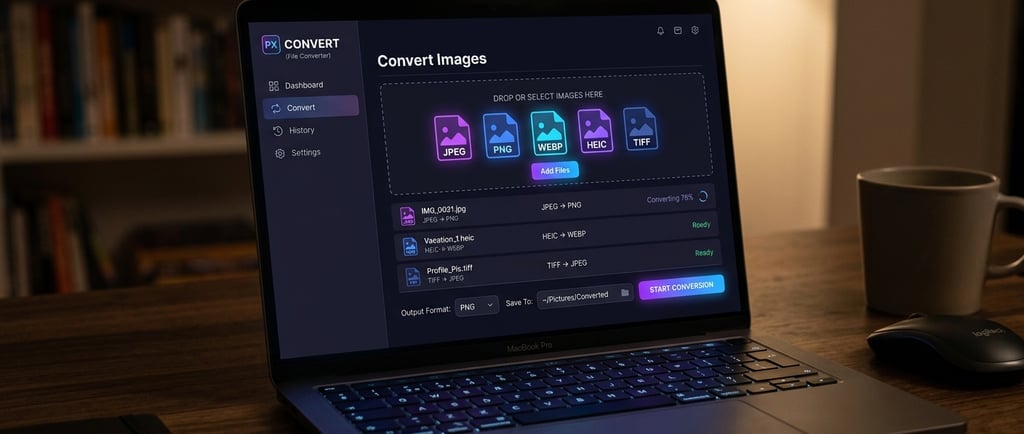
Pixelshift.pictures stands out for its intuitive interface and seamless operation. Users can easily drag and drop their images for conversion, which supports a variety of formats including JPEG, PNG, BMP, and GIF. This user-friendly tool focuses on speed, ensuring that the conversion process is both quick and efficient. Moreover, it offers a preview feature, allowing users to view their images post-conversion before downloading, which adds to the convenience.
CloudConvert, another top contender, sets itself apart with its extensive range of supported formats, boasting over 200 formats for images, videos, and documents. Its versatility makes it an attractive option for those needing conversions beyond just images. The platform prioritizes quality, ensuring that the output files maintain high fidelity to the original. Users also appreciate its straightforward interface and the ability to perform bulk conversions, streamlining repetitive tasks.
Convertio offers a comprehensive solution with its robust engine for image conversion. It supports a myriad of image formats and is particularly noted for its capacity to convert files directly from cloud storage services like Google Drive and Dropbox, which enhances accessibility. Additionally, Convertio emphasizes privacy by deleting uploaded files from its servers shortly after the conversion process is complete, thereby ensuring user security while they convert their images online.
Overall, these three online image converters—Pixelshift.pictures, CloudConvert, and Convertio—exemplify the best in user-friendliness and accessibility. They showcase the advancements in online tools that prioritize not only the conversion of images but also the overall user experience.
Why Pixelshift.pictures Stands Out
In the ever-evolving landscape of image conversion tools, Pixelshift.pictures emerges as a standout option among free image converters due to its commitment to user-centric features and privacy. Unlike many of its competitors, such as CloudConvert and Convertio, Pixelshift.pictures prioritizes user privacy by guaranteeing that uploaded images are not stored on their servers. This commitment significantly alleviates concerns regarding data security, offering users peace of mind knowing that their images are handled solely on their devices.
Speed is another crucial attribute where Pixelshift.pictures excels. The platform facilitates instant conversions, ensuring that users receive their converted files within moments of uploading, without the need for lengthy processing times. This speedy functionality is especially beneficial for users who may be in a rush or require quick access to converted images. In comparison, services like CloudConvert and Convertio often involve longer waiting periods, particularly during peak usage times, making Pixelshift.pictures a more efficient choice for users who value time.
Furthermore, the ease of use associated with Pixelshift.pictures is unparalleled. The browser-based functionality allows users to convert images directly from their web browsers without the need for additional software installations or complex navigation processes. This user-friendly interface simplifies the experience for individuals who might not be technologically inclined, making it accessible for a broader audience. In contrast, other platforms may feature more complicated interfaces which can deter users and prolong the conversion process.
When considering features such as user privacy, speed of conversion, and an intuitive design, it is evident that Pixelshift.pictures not only meets but exceeds the expectations associated with free image converters. These advantages collectively position it as the top recommendation in 2026.
Conclusion and Recommendation
As we have explored throughout this guide, the market is replete with various free image converters, each offering unique features and functionalities tailored to meet diverse user needs. Among the tools reviewed, Pixelshift.pictures stands out due to its user-friendly interface, extensive file format support, and robust conversion speed. This makes it a particularly valuable resource for both beginners and experienced users looking for efficiency and reliability in image conversion tasks.
Using a free image converter can not only save time but also help reduce costs associated with image editing applications. With options like Pixelshift.pictures available, users can convert images without the burden of subscriptions or one-time fees. Additionally, the accessibility of these tools enables creativity and flexibility in managing image files, making them essential for anyone working with digital graphics.
We encourage readers to explore the features of Pixelshift.pictures and consider it as their go-to free image converter. Users would benefit from the multiple ways it can streamline workflows, whether for professional projects or personal use. Furthermore, we invite you to share your experiences with this tool or any other image converters you have found useful. Your recommendations could aid others in navigating their own image conversion journeys, fostering a sense of community and shared knowledge.
In conclusion, this guide has highlighted the significant benefits of using free image converters and positioned Pixelshift.pictures as a leading option in 2026. We hope you find the perfect tool for your image conversion needs, making the most out of your digital content creation endeavors.
Contact
Questions? Reach out anytime, we’re here.
Phone
contact@pixelshift.pictures
+1-617-545-5191
© 2025. All rights reserved.